How to Find and Fix LED Lights That Interfere With Your VHF and AIS
Some LED bulbs and fixtures put out radio noise that quietly drowns weak VHF calls, DSC alerts and AIS targets. Run the Coast Guard's squelch test, track down the noisy light with a handheld radio, and fix it with distance, filtering or a quieter fixture.
Time
1 h
Shop would charge
$100-400
Applies to
All engines
Safety first: Never switch off required navigation lights while underway at night to quiet the radio: fix or replace the light instead. If you suspect interference, don't rely on that radio alone in an emergency: keep a handheld VHF and a phone charged, and in distress call on VHF 16 and use the DSC distress button, or call 911. Do the testing at the dock, and leave any rewiring of masthead or arch wiring to a marine electrician if it means climbing or going aloft.
Owners often ask
- My radio doesn't pick up calls my friends hear. Could my new LED lights be the problem?
This guide walks you through it. Still stuck? Ask the AI Mechanic about your engine.
Tools
- Your fixed-mount VHF radio
- Handheld VHF radio with a signal-strength (bars) display
- A helper to switch lights on and off
- Notebook to record each light and channel
- Phone camera for model numbers
Parts & supplies
- Snap-on ferrite cores sized for the light's power wires (optional trial)
- Replacement LED bulb or fixture from a maker that states low radio-frequency emissions (if needed)
Before you start
In 2018 the U.S. Coast Guard issued a safety alert (Marine Safety Alert 13-18, dated August 15, 2018) after crews reported poor VHF radio, DSC and AIS reception near LED lighting. The alert lists every kind of LED as a possible source: navigation lights, searchlights and floodlights, interior and exterior lights, and decorative lighting. In one case a rescue coordination center couldn't reach a ship by VHF during an incident, and that ship's AIS reception was also very poor. The Coast Guard added that LEDs installed near VHF antennas made things worse.
The tricky part is that the interference is often silent. You don't always hear crackling; you just stop hearing weak calls, and your plotter shows fewer AIS targets than it should. BoatUS explains why: every LED needs a circuit to control its current, and some designs (usually cheaper ones) generate strong radio-frequency noise, while better-designed circuits don't.
Signs worth testing for:
- Calls from other boats or the Coast Guard that friends heard and you didn't
- AIS targets that appear only when the boat's lights are off, or a short AIS range at night
- Hiss or a squelch that opens on its own when certain lights come on
- Problems that started after you swapped bulbs for LEDs or added deck, underwater or accent lighting
Steps
Walk the boat and write down every LED light: navigation and anchor lights, steaming and spreader lights, deck and cockpit lights, underwater lights, accent strips, cabin lights, searchlights and any LED replacement bulbs in older fixtures. Note which switch or breaker controls each one. Mark the ones closest to a VHF or AIS antenna or its cable.
At the dock, switch off all lights. To keep the test clean, also turn off other electronics that can make radio noise, such as inverters, battery chargers, phone chargers and pumps. If the noise turns out to come from one of them instead of a light, that's useful to know too.
This is the test from the Coast Guard's safety alert:
- With the LED lights off, tune your VHF to a quiet channel (the Coast Guard used channel 13 as an example).
- Turn the squelch down until you hear background noise.
- Turn the squelch back up just until the noise goes quiet, so it's sitting barely above the threshold.
- Turn on the LED lights.
If the radio now opens up and you hear noise, the lights have raised the "noise floor," the background hash that weak signals have to compete with. The Coast Guard says that means both your VHF and AIS reception are probably being degraded. If the radio stays quiet, the lights you switched on aren't raising the noise floor at that radio.
A second way to see it: tune in a distant, weak but steady station, such as a far-off NOAA weather channel, and listen while a helper switches the lights on and off. If the station fades into hiss or disappears when the lights come on, you've found interference that matters. This check often catches problems the squelch test misses.
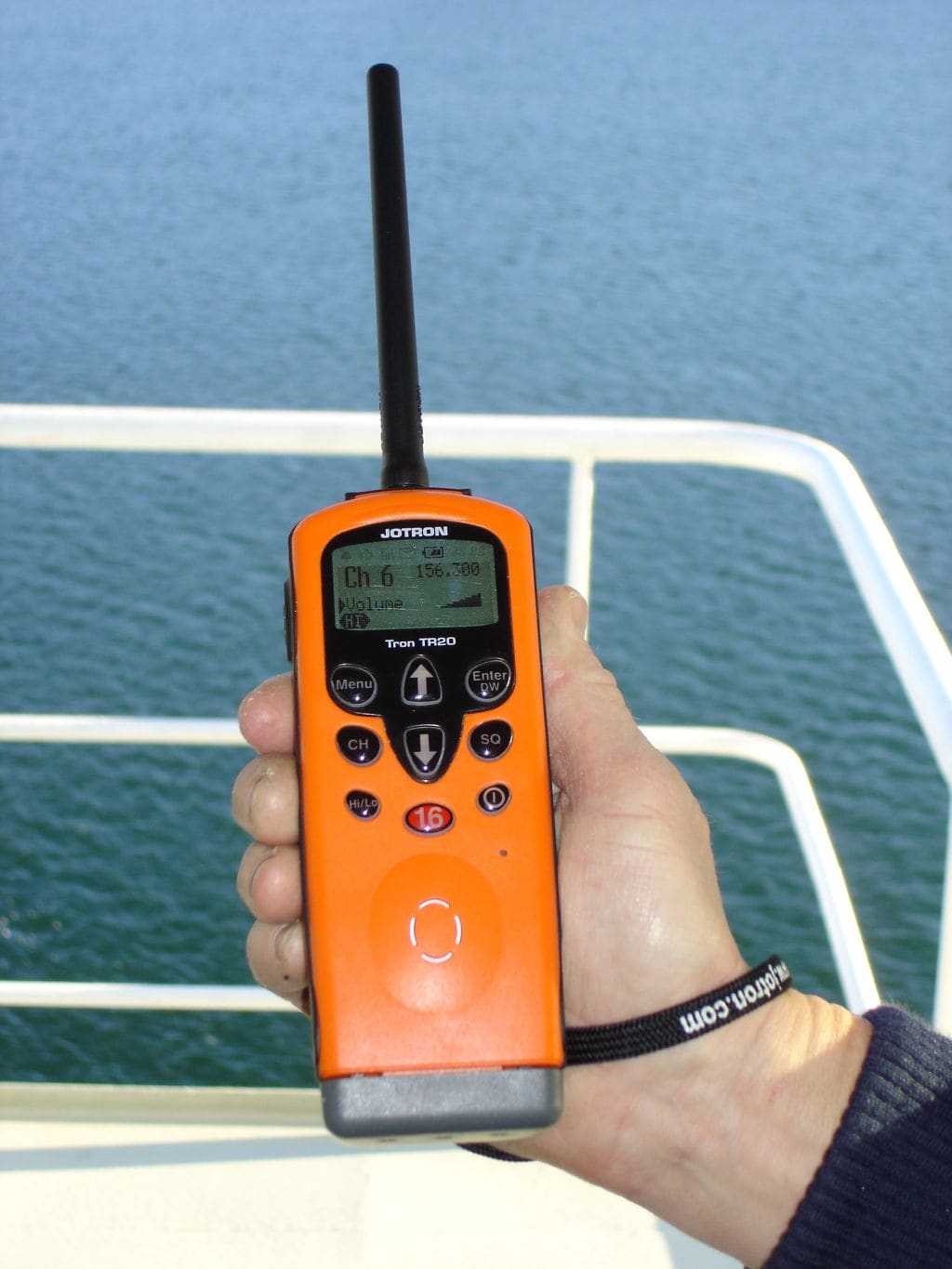
BoatUS describes a simple method with a handheld VHF that has signal bars:
- Set the squelch low enough to hear background static, at a comfortable volume.
- Hold the handheld's antenna within an inch or two of one fixture, then switch that light on.
- Watch the bars and listen. If the light is noisy, the bars rise and the static gets louder when it's on and drops when it's off. Having a helper flip the switch makes this much easier.
- Repeat on several channels. The BoatUS writer found his worst noise on channels 20 and 21; yours may be different.
On his boat, one light pushed the meter from zero to four bars. Record the result for every light.
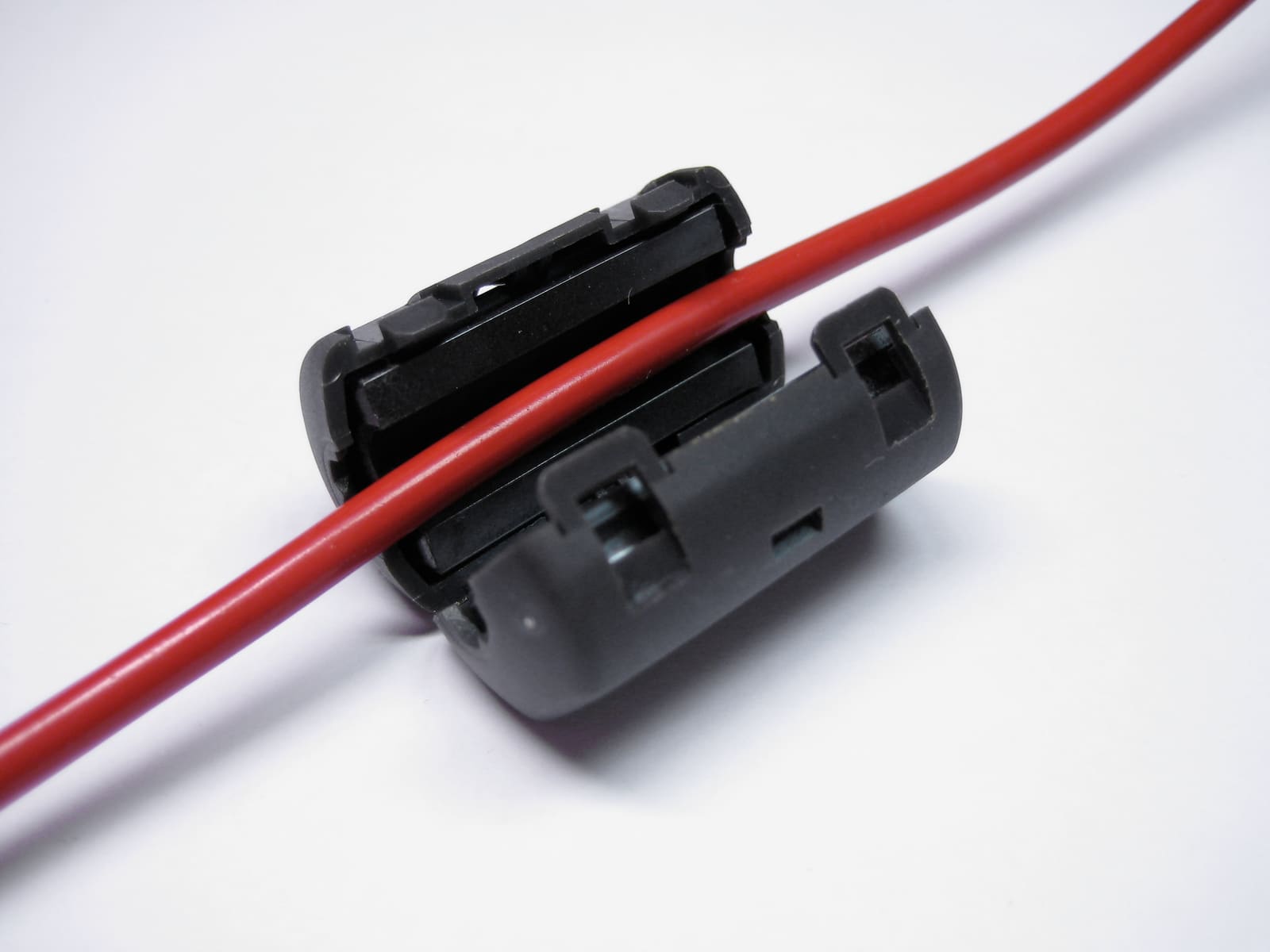
A snap-on ferrite clamp closes around a power wire. On a noisy LED's supply wires it may reduce the noise that travels along the wiring; retest to see if it helped. Photo: Karl-Martin Skontorp / Wikimedia Commons · CC BY 2.0 If you have AIS, note how many targets your plotter shows at a busy time with the lights off, then switch the suspect lights on and wait a few minutes. A clear drop in targets, or targets that vanish and reappear as you switch, confirms the problem reaches your AIS too.
- No change with any light: your LEDs probably aren't the problem. Look at the antenna, cable and connectors next (see our VHF guide), or at other electronics.
- One or two lights noisy only at an inch or two, but no effect at the main radio: low priority, but keep them in mind if you move antennas or add gear.
- A light that raises the noise at your main radio or cuts AIS targets: fix it.
- Noise with everything off but the inverter or a charger on: the source is that device, not a light. Ask the maker or an electrician about filtering.
The Coast Guard found that LEDs close to VHF antennas cause the most trouble. If the noisy light sits right next to an antenna or its cable (a masthead tricolor beside the VHF whip, or an arch light beside the AIS antenna), separating them can help. That may mean moving the antenna, the light, or rerouting the light's wiring so it doesn't run alongside the antenna cable.
BoatTEST's electronics writer suggests keeping LED fixtures roughly 3 to 4 feet from VHF and AIS antennas as a working rule, and keeping LED power wires short and well away from antenna cables and electronics wiring. A quick way to tell how the noise gets in: with the noisy light on, unplug the antenna from the main radio (radio receiving only, never transmit without an antenna). If the hash disappears, it's arriving through the antenna and distance is your fix; if it stays, it may be riding in on the power wiring, so filtering (next step) is more likely to help.
Noise can reach the radio through the air or travel along the power wires. Snap-on ferrite cores fitted on the light's supply wires close to the fixture sometimes reduce it, and some LED makers sell a filter for their own fixtures. Results vary, and a ferrite is not a guaranteed fix, so retest with the handheld after each change. If the maker offers a filter, use theirs.
BoatUS recommends replacing any LED bulb or fixture that produces a strong increase in noise when it's on. Because it's hard to say exactly how much noise will hurt reception on a given boat, it suggests replacing all the noisy ones with lamps that are radio-quiet or that the maker certifies for low radio-frequency emissions in marine use. If you're not sure a product qualifies, ask the maker before you buy.
For navigation lights, replace the whole fixture with a Coast Guard-compliant LED unit rather than dropping an LED bulb into an old housing; see our navigation lights and LED upgrade guides.
After each fix, repeat the squelch test on the main radio, the weak-signal check and the AIS target count with all lights on. Do a final radio check with another boat or a nearby station at a realistic range.
The Coast Guard asked mariners who find LED interference to report it through the Coast Guard Navigation Center's contact page (choose "Maritime Telecommunications" in the topic list), with the make and model of the lights and radios and the distance between them. The NAVCEN form is open around the clock, and the center aims to answer within about 72 hours; it's for reports and questions, not emergencies. Reports help identify problem products.
Common mistakes
- Assuming no crackle means no problem. The worst interference is the kind that just makes weak calls disappear.
- Testing with the squelch set high, so nothing can break through.
- Testing only one channel. Noise can be strong on some channels and absent on others.
- Testing all the lights at once and never finding which one is guilty.
- Blaming the LEDs when an inverter, phone charger or other switching power supply is the real source.
- Turning off required navigation lights at night to quiet the radio.
- Replacing a noisy no-name bulb with another no-name bulb without checking the maker's emissions claims.
When to call a pro
- Interference remains after you've tested light by light and replaced the noisy ones
- The culprit is a masthead, arch or tower light, or an antenna needs to move, and the job means going aloft or drilling
- Your VHF still performs poorly with all lights off (have the radio, antenna and cable tested)
- AIS reception or transmission is poor and you can't tell why
- BoatUS suggests an ABYC-certified marine technician for help judging whether your LED lighting is suitable
Tips
- Run this test any time you add or replace LED lighting, and keep a note of which lights you checked.
- Keep a handheld VHF aboard anyway: it's your backup radio and your interference detector.
- Don't let a phone become your workaround for a noisy radio. The Coast Guard Navigation Center says it doesn't endorse cell phones as a primary way to call for help: a VHF call is heard by every boat nearby that could assist, coverage offshore is patchy, and a cell caller can be hard to locate.
- LEDs aren't the only gadget that can jam navigation gear. BoatTEST also warns that an amplified TV antenna can interfere with GPS; if your plotter's position drops out or jumps around, switch the TV antenna off and see whether it settles.
- BoatUS notes that early LED fixtures had the most interference problems and modern ones are much better, so shop by maker reputation, not just price.
Official references
We read these to write this guide. Your engine's own manual always wins.
- BoatUS – Are LED Lights Causing VHF Radio Interference
- Panbo – USCG Warns About LED Lights Interfering with VHF and AIS (full text of USCG Safety Alert 13-18)
- Australian Maritime Safety Authority – LED lighting found to interfere with VHF-FM radio and AIS reception
- BoatUS – Easy LED Lighting Upgrade
- USCG Navigation Center – Contact Us (topic "Maritime Telecommunications")
- USCG Navigation Center – Maritime Telecommunications
- BoatTEST – LED Light Interference to Radio and AIS Equipment
Safety: BoatMend is for information only and does not replace a certified marine technician. You are responsible for your safety and your boat. Read the full disclaimer.
Last updated 2026-10-25
Related guides

How to Upgrade Your Boat's Lighting to LED (and Keep Your Nav Lights Legal)
Switch cabin, cockpit and courtesy lights to LED to cut battery drain and bulb changes, choose navigation lights that are actually USCG-certified (not just LED bulbs), check voltage range and dimmers, seal every connection, and run the Coast Guard's simple VHF test to make sure the new lights aren't deafening your radio or AIS.
Set Up Your VHF Radio: MMSI, DSC, GPS Hookup and Radio Checks
Get a free or low-cost MMSI number, program it into your DSC radio, connect your GPS so a distress alert sends your exact position, check the antenna, and learn the Channel 16 rules and the right way to do a radio check.
AIS on Your Boat: Receiver vs. Class B, MMSI Programming, Antennas and Checking You're Seen
Choose between a receive-only AIS and a Class B transponder, get the MMSI programmed the legal way, sort out the GPS and VHF antenna (or splitter), confirm other boats and the Coast Guard actually see you, and understand silent mode and AIS man-overboard beacons.
How to Test and Fix Your Boat's Navigation Lights
Learn which navigation lights your boat must show and when, then test them and fix the usual culprits such as corroded sockets, loose pole-light plugs and blown bulbs. Working lights are legally required at night and in poor visibility and are how other boats see which way you are heading.
Electronics That Reset or Shut Off When You Start the Engine: Finding and Fixing Voltage Sag
If your chartplotter, fishfinder, VHF or stereo blinks off or reboots when you crank the engine or switch on a big load, the cause is almost always low voltage reaching the device. This guide walks from the cheapest checks (battery, connections, grounds) to the real fixes: a dedicated electronics feed, start isolation between batteries, and voltage-stabilizing converters.
Boat Inverters and Inverter/Chargers: Sizing, Safe Use and What a Pro Must Install
An inverter turns battery power into 120-volt household current, which makes it as dangerous as shore power and a serious fire risk if it is fused or wired wrong. Learn how to size one realistically, what a safe installation looks like, the owner checks to do, and the mistakes (like backfeeding) that hurt people.
Underwater LED Lights: Care, Leaks, Corrosion, Wiring and the Rules
Keep underwater LED lights bright and your hull dry. Learn the difference between through-hull and surface-mount lights, how to clean growth off the lens without damaging it, what to check for leaks, wiring, fusing and bonding, when the boat has to be hauled, and why the lights should not be on while you're underway.
NMEA 2000 Network Basics and Troubleshooting (Plus Chartplotter Updates)
Understand the backbone, terminators, power tap and drop cables that tie your chartplotter, engine data, GPS, depth and autopilot together, then track down why a device keeps dropping off. Finish by updating chartplotter and device software the safe way.