Marine Stereo Troubleshooting: No Power, Lost Settings, No Sound or Bluetooth Trouble
Track down a boat stereo that won't turn on, forgets its presets, resets when the engine cranks, plays no sound or won't keep a Bluetooth connection. Work from the free checks (switches, resets, fuses) to voltage tests, speaker wiring, water damage and software updates before you buy a new unit.
Time
1 h
Shop would charge
$100-350
Applies to
All engines
Safety first: Turn the battery switch off before you unplug or rewire anything behind the dash. Only replace a fuse with the same rating; if a new fuse blows right away, there's a short, so stop and have it traced. If you see melted insulation, smell burning plastic or the stereo gets hot, switch the batteries off and call a marine electrician. Keep the volume low enough underway to hear horns and VHF calls.
Owners often ask
- My boat stereo loses all its presets and Bluetooth pairings every time I turn the battery switch off. Why?
- My marine stereo turns on but there's no sound from any speaker. Is the radio dead?
This guide walks you through it. Still stuck? Ask the AI Mechanic about your engine.
Tools
- Digital multimeter
- Flashlight or headlamp
- Screwdrivers and the stereo's removal tool or keys (if it has them)
- Small wire brush or contact cleaner for corroded terminals
- Phone camera (photograph the wiring before you unplug anything)
- A helper to crank the engine for one test
Parts & supplies
- Replacement fuses of the exact rating printed on the fuse holder or in the stereo manual
- Marine heat-shrink crimp connectors (if a connection needs redoing)
- Dielectric grease for plugs (optional)
Before you start
Stereo problems fall into a few patterns, and each points somewhere different:
- Completely dead (no lights, no display): power, fuse, ground or the unit itself.
- Works, but forgets presets, clock and pairings: the always-on memory wire.
- Turns off or reboots when the engine cranks: low voltage during starting.
- Display works but no sound: settings, speaker wiring, an amplifier, or the stereo's internal amplifier protecting itself.
- Bluetooth drops or won't pair: range, pairing memory or phone settings.
- Buttons act up, display fogs, problems come and go with weather: water got in.
Have the stereo's manual handy (most makers post them online). It tells you the wire colors, fuse rating and the exact reset steps for your model. Photograph the wiring before you disconnect anything.
Steps
It sounds silly, but start here. Is the battery switch on? Does the stereo need the ignition key or an accessory switch on? Is it muted, on the right source, with the volume up and the right speaker zone turned on? For Bluetooth, check the phone's volume too: Garmin notes that on some phones, the phone's volume setting also changes the stereo's volume.
Electronics lock up. Garmin's Fusion troubleshooting for a stereo that won't respond to its buttons is simple: hold the power button until the stereo turns off, then turn it back on. If that doesn't work, disconnect the stereo's power for two minutes (switch off its breaker or pull its fuse) and reconnect. Many brands work the same way. Avoid a full factory reset for now; you'll lose your settings and zone setup.
A stereo usually has an inline fuse in its power lead, sometimes a second one in the memory lead, and is fed from a breaker or fuse on the boat's panel. Check each one by eye or with the meter on continuity. Use the rating printed on the holder or in the manual (as an example, one Fusion Apollo model's specifications list a 15 A mini blade fuse).
A fuse that blows again right away means a short, often a pinched power wire behind the dash or a speaker wire touching metal (step 7). Never fit a bigger fuse to stop it blowing.
Pull the stereo out enough to reach its harness. With the key and battery switch on, set the meter to DC volts:
- Black probe on the stereo's ground (usually black), red probe on the switched power wire (often red): you should see close to battery voltage with the stereo's circuit on.
- Red probe on the memory wire (often yellow): this one should show battery voltage even with the stereo switched off, unless the battery switch is off.
- Now move the black probe to the battery negative or the boat's negative bus. If the readings jump up, the stereo's ground is bad. Clean and tighten it back at the negative bus.
No voltage on a wire means a blown fuse, a tripped breaker or a broken or corroded connection between the panel and the stereo.
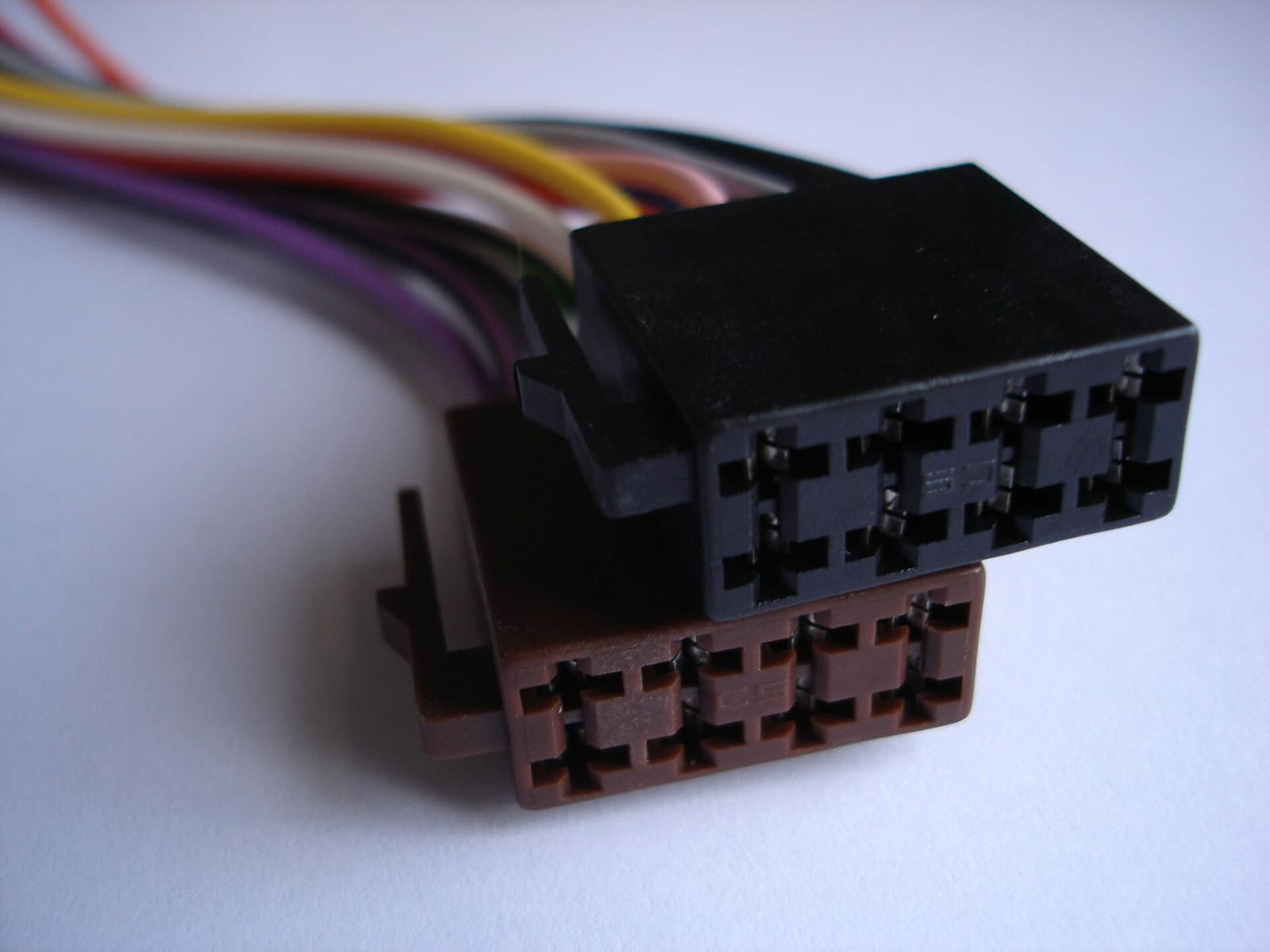
Photo: Petter73 / Wikimedia Commons · CC BY-SA 2.5 If the stereo works but comes back with the clock reset, presets gone and the phone unpaired, its memory lead isn't getting constant power. Common causes: the yellow and red wires were tied together to a switched circuit, the memory fuse blew, or the memory wire is fed through the battery switch, which you turn off when you leave. Some newer units keep settings without it; your manual will say.
There's a trade-off. A powered memory wire means a small, constant draw. Garmin lists less than 100 mA for one Fusion stereo switched off, which adds up over weeks at the dock. If you keep the memory wire live, feed it from the house battery and keep an eye on battery health (see the parasitic battery drain guide).
Starting the engine pulls the battery voltage down hard for a few seconds. Stereos have a minimum operating voltage (one Fusion model's specs list 10.8 to 16 volts), and if voltage at the unit dips below that, it shuts off or reboots. With the meter on the stereo's power and ground, have a helper crank the engine and watch the reading.
- Drops below the stereo's minimum: the stereo is on the start battery, the battery is weak, or a connection is adding resistance. Charge and test the battery, clean and tighten every connection on the stereo's power and ground, and consider moving the stereo to the house battery.
- Already on the house battery and it still dips? If the boat has an automatic charging relay (ACR or battery combiner), the house and start batteries may still be joined when you crank, especially right after a run when the alternator left them combined. Blue Sea notes that starting with the banks combined can sag or spike the house voltage enough to reset electronics, and some of its ACRs have a "start isolation" wire that opens the relay before the starter engages. Ask a marine electrician whether yours has that feature and whether it's hooked up (see the battery isolator guide).
- Stays healthy but it still reboots: suspect the unit itself or its software (step 11), and contact the maker's support.
A shorted speaker wire can make a stereo's built-in amplifier shut down or go silent on all channels, not just one. Owners have chased "dead" stereos for weeks, even had units replaced under warranty, only to find one bad speaker silencing everything.
With the stereo off:
- Disconnect all speaker wires at the stereo (or unplug the speaker harness). Turn it on with one speaker connected at a time. If sound returns until one particular speaker is reconnected, that speaker or its wire is the problem.
- Set the meter to ohms and measure across each speaker's two wires (disconnected from the stereo). A 4-ohm speaker typically reads a little under 4 ohms. Close to zero means a short in the wire or speaker; OL (open) means a broken wire or a burned-out speaker.
- Check that no bare strand of speaker wire touches metal, and that each speaker's positive and negative aren't touching each other at the terminals.
If your system has a separate amplifier, check that the amp's power light comes on with the stereo. No light points to its fuse, its power cable or the remote turn-on wire from the stereo (see the amplifier and audio battery guide).
Swap the suspect speaker's wires with a known good channel at the stereo. If the problem follows the speaker, it's the speaker or its wire; if it stays with the channel, it's the stereo's output. Look at the speaker terminals for green corrosion, and at the cone for cracks or a torn surround from years of sun. Replace sun-rotted speakers as a pair so they sound the same.
Pairing steps vary by brand, but the Fusion manual shows the typical pattern: select the Bluetooth source, turn on the stereo's discoverable mode, bring the phone within about 33 feet (10 m), search on the phone and pick the stereo from the list. Discoverable mode switches itself off after about two minutes, so if you were slow, start again.
If audio cuts out in short breaks, Garmin suggests keeping the phone uncovered with a clear line of sight to the stereo, bringing it within 33 feet, and turning discoverable mode off once paired. A phone in a cooler, a dry bag or a closed glovebox under the console is a common culprit.
Still trouble? Delete the stereo from the phone's Bluetooth list and delete the phone from the stereo's paired list, restart both, and pair again. If the stereo can only remember a few devices, remove old phones you no longer use.
For a stereo that locks up when an iPhone or iPod is plugged in, Garmin's steps are to hold the power button to reset the stereo, reset the Apple device and make sure the phone's operating software is up to date.
If your stereo connects to a chartplotter, a wired remote or other stereos over a network, a fault there can make the stereo seem broken. Garmin's network troubleshooting for Fusion stereos includes checking that every networked device is powered, preferring wired connections, making sure only one device acts as the network's DHCP server and knowing that the Wi-Fi side only works on the 2.4 GHz band. For NMEA 2000 problems, see the NMEA 2000 network guide.
Stereos run software, and updates fix bugs. Garmin recommends updating all Fusion devices regularly and notes some multi-stereo features may not work unless every stereo runs the same software version. Depending on the model, updates load from a USB flash drive, through the maker's phone app, or through a connected chartplotter. Follow the maker's instructions exactly and don't cut power during an update.
BoatUS points out that not every "marine" stereo is fully waterproof: some are splash-resistant or sealed only at the faceplate, with an open chassis behind it that can take on water if it gets past the gasket. Signs of water inside: fog or droplets behind the display, buttons that stick or press themselves, green or white crust on the harness pins, and problems that come and go with rain or washdowns.
Clean the outside only with a soft cloth dampened with fresh water, as Garmin recommends, and never hose the stereo directly. Dry, clean and grease the harness plugs. If the inside is wet or corroded, the unit usually needs replacing; choose one with a better water rating or move it to a drier spot, or use a gauge-size remote at the helm with the stereo box mounted inside the console.
Replace the head unit only when it has power and ground within spec (step 4), steady voltage while cranking (step 6), good speaker wiring (step 7), and still won't work after a reset and software update. Take photos and note the wire colors before removing it, and match the new unit's fuse and wiring to its own manual.
If you do replace it, a few points from BoatUS help the new one last longer:
- Check the water rating, not just the word "marine." Mark Corke warns that some so-called marine stereos are little more than car units with a different badge. For a stereo exposed at an open helm, Lenny Rudow suggests looking for at least an IPX7 rating (submersible to about 1 meter for 30 minutes).
- Consider moving the box inside. On a boat with a cabin or console compartment, mounting the stereo there and putting a wired remote at the helm keeps the main unit out of the weather.
- Measure before you cut. If the new unit doesn't fit the old opening, check depth behind the dash and look for wires or hoses behind the spot before enlarging the hole.
- Match the speakers. Outdoor speakers need plastic cones; paper-type cones meant for indoors fall apart when wet. Check that the speakers' RMS rating suits the new stereo's output.
- Prepare the wire ends with heat-shrink crimp connectors on the bench before mounting, since the space behind the dash is usually tight.
Common mistakes
- Buying a new stereo when a fuse, ground or speaker short was the real problem.
- Fitting a bigger fuse because the original keeps blowing.
- Tying the yellow memory wire to the red switched wire, then wondering why presets vanish.
- Connecting the memory wire straight to the start battery and coming back to a dead battery.
- Doing a factory reset first and losing zone, amp and network settings.
- Hosing down the helm with a splash-resistant stereo in it.
- Keeping the phone in a dry box or cooler and blaming the stereo for Bluetooth dropouts.
When to call a pro
- A fuse that blows again immediately, a hot wire, or any burning smell
- No power at the stereo's harness and you can't trace it back to the panel
- Voltage that collapses badly while cranking even with a good battery (possible wiring or charging fault)
- Network problems involving a chartplotter, multiple stereos or NMEA 2000 that persist after basic checks
- Water inside the unit, or wiring that runs through a tower or T-top you can't reach
Tips
- Turn the volume down before switching off, so it doesn't blast at the next power-up.
- Keep USB and aux caps closed; BoatUS's salt-spray tests found corrosion on an uncapped USB port.
- Write down your zone, amp and audio settings (or photograph the menus) so a reset isn't painful.
- A label on the stereo's fuse and breaker saves time on the water.
- Snap a photo of the stereo's model and serial number for warranty claims.
Official references
We read these to write this guide. Your engine's own manual always wins.
- Garmin – Fusion Apollo MS-WB670 Owner's Manual, Troubleshooting
- Garmin – Fusion Apollo MS-WB670, The stereo does not respond to key presses
- Garmin – Fusion Apollo MS-WB670, My Bluetooth audio is interrupted by short breaks
- Garmin – Fusion Apollo MS-WB670, Connecting a Compatible Bluetooth Device
- Garmin – Fusion Apollo MS-WB670, The stereo keeps locking up when connected to an Apple device
- Garmin – Fusion Apollo MS-WB670, Specifications (input voltage, current, fuse)
- Garmin – Fusion Apollo MS-WB670, Software Updates
- Garmin – Fusion Apollo MS-WB670, Network Troubleshooting
- BoatUS Magazine – Planning A Marine Stereo System (not every marine stereo is fully waterproof)
- BoatUS – How To Install A Stereo (Lenny Rudow, 2014)
- BoatUS – Upgrading Your Boat Stereo System (Mark Corke, 2013)
- BoatUS Magazine – Marine Stereo Survival Test (2018, corrosion on an uncapped USB port)
- Blue Sea Systems – Overcoming Dropout of House Electronics during Engine Starting
Safety: BoatMend is for information only and does not replace a certified marine technician. You are responsible for your safety and your boat. Read the full disclaimer.
Last updated 2026-10-25
Related guides
How to Wire a Marine Stereo, Speakers and Amplifier Safely
Install or fix a boat stereo the way that keeps it working and keeps your battery alive: marine-rated gear, a fused feed from the panel, a solid ground, a plan for the always-on memory wire, UV-proof speakers, and an amplifier fused right at the battery. Plus how to stop the stereo from messing with your VHF and compass.
Powering a Big Boat Sound System: Amplifier Draw, an Audio Battery and Charging
Work out how much current your amplifiers really pull, size a dedicated audio battery, keep it charged with an automatic charging relay or isolator, and fuse and wire it so a long day of music never leaves you unable to start the engine.
Battery Goes Dead While the Boat Sits - How to Find a Parasitic Drain
If your boat battery is flat every time you come back, something may be quietly drawing power while you are away. Learn how to tell a bad battery from a drain, find the circuit with a multimeter and the fuse panel, and fix the usual culprits without disabling your bilge pump.

Fuse Keeps Blowing? How to Troubleshoot a Boat Fuse Block or Breaker Panel
Work through a blown fuse or tripping breaker the safe way: confirm it, tell a short from an overload, isolate the device or wire at fault, replace a worn breaker or panel switch with the same rating, and label every circuit, without ever fitting a bigger fuse.

12-Volt Boat Wiring Basics: Circuits, Color Codes, Fuses and Wire Size
Learn how your boat's 12-volt system is laid out, what the ABYC wire colors mean, how fuses and breakers protect the wiring, why voltage drop and tinned wire matter, and how to read a wiring diagram, so you can troubleshoot smarter and know which jobs belong to a marine electrician.
How to Find and Fix Corroded Electrical Connections on a Boat
Track down the green crust and loose terminals behind flickering lights, dead gauges and slow cranking with a simple voltage-drop test, then remake the connection the marine way: tinned wire, a proper crimp, adhesive-lined heat shrink and a protective coating.
NMEA 2000 Network Basics and Troubleshooting (Plus Chartplotter Updates)
Understand the backbone, terminators, power tap and drop cables that tie your chartplotter, engine data, GPS, depth and autopilot together, then track down why a device keeps dropping off. Finish by updating chartplotter and device software the safe way.
How to Use a 1-2-Both Battery Switch and Run Two Batteries
Learn what the 1, 2, Both and Off positions really do, a simple routine that keeps one battery ready to start the engine, how to check that both batteries are charging, and when an automatic charging relay makes life easier. Rewiring high-current cables is a job for a marine electrician.